Appearance
Login from the Brochure site
Author: Scott Cameron
WARNING
⚠ Important: The patient must have had a previously approved Weight Loss order and they must not have placed their last order within the last 15 days.
If their last order was less than 15 days ago, the patient will see a “blocker” early reorder screen, with information on when they can reorder (see below)
This journey shows how patients can log in via the Brochure Site (www.phloclinic.co.uk) and start their reorder journey from within their My Account section.
As we can’t tell if the patient has ordered previously until they log in, patients can log in from the Brochure Site, and then start the reorder journey by clicking on the ‘Weight Loss' card in their My Account section.
Video guide: Phlo Clinic (Mobile)
Logging in from the brochure site (Mobile)
- Step one - Check where you are currently; if you are on the Phlo Clinic website (www.phloclinic.co.uk)…
- Step two - Click the ‘Log in’ button in the navigation bar on the top right.
- Step three - Enter your email address and password for your Phlo Clinic account.
- Step four - Once logged in, scroll down to the ‘New order’ section and tap the Weight Loss card.
- Step five - If you’re eligible to reorder (your last order was approved more than 15 days ago), you should see a screen which says “Welcome back, {your_first_name}.”
- Step six - Tap the ‘Let’s start' button.
- Step seven - Complete the consultation as directed and select your next dose of treatment.
- Step eight - Checkout as normal.
Video guide: Phlo Clinic (Desktop)
- Step one - Check where you are currently; if you are on the Phlo Clinic website (www.phloclinic.co.uk)…
- Step two - Click the ‘Log in’ button in the navigation bar on the top right.
- Step three - Enter your email address and password for your Phlo Clinic account.
- Step four - Once logged in, scroll down to the ‘New order’ section and tap the Weight Loss card.
- Step five - If you’re eligible to reorder (your last order was approved more than 15 days ago), you should see a screen which says “Welcome back, {your_first_name}.”
- Step six - Tap the ‘Let’s start' button.
- Step seven - Complete the consultation as directed and select your next dose of treatment.
- Step eight - Checkout as normal.
Logging in from the brochure site (Desktop)
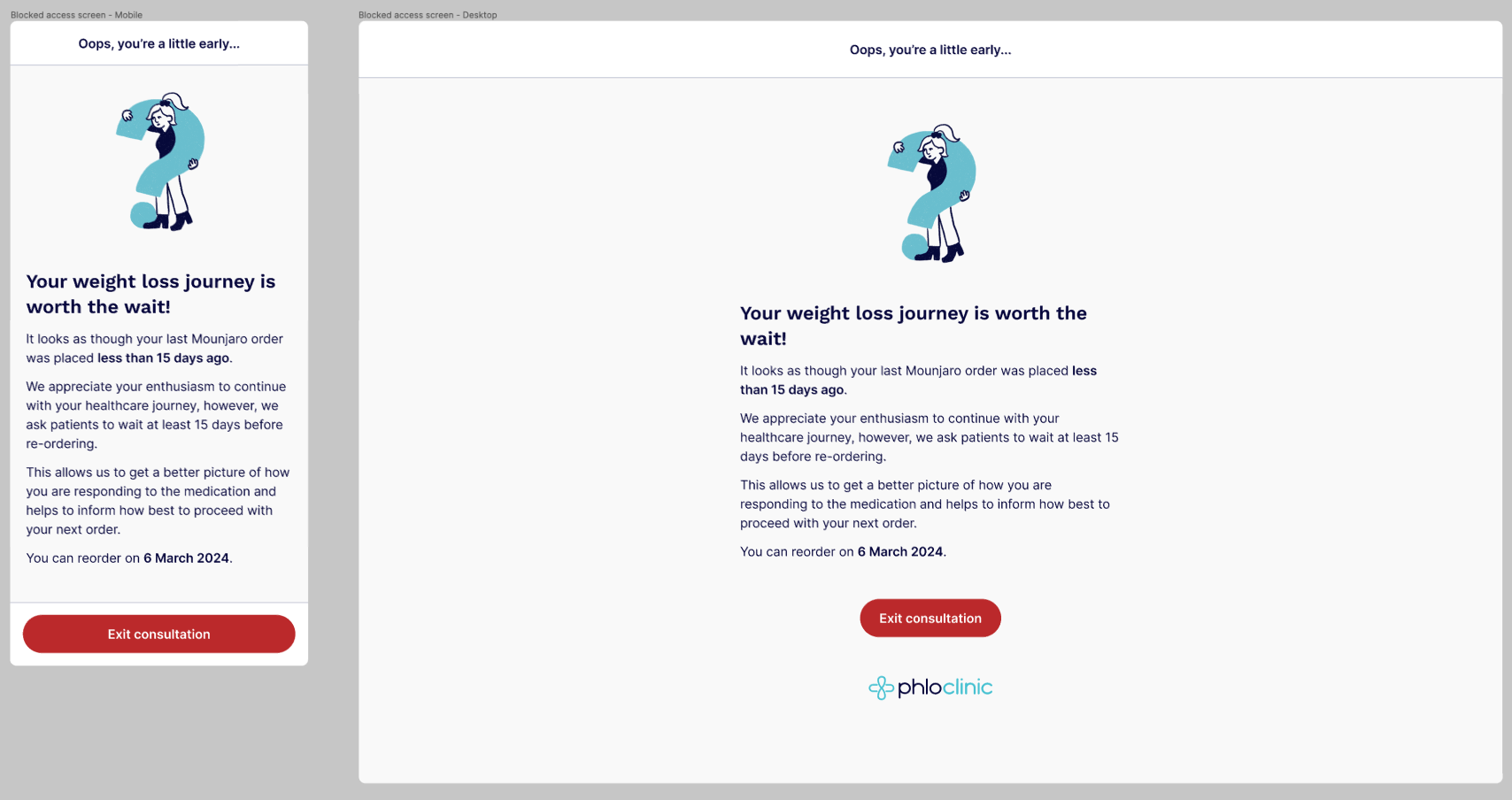 Weight loss early reorder “blocker” screen (Patients last order approved less than 15 days ago)
TIP
ⓘ If this guide becomes outdated or the content can’t assist you with a patient query, please get in touch with Scott or Ryan on Slack. We’ll make adjustments to the content and update it ASAP.
Thank you!